


In the competitive landscape of digital marketing, creating great content is only half the battle.
Your website’s technical health acts as the critical foundation for all your SEO efforts, determining whether search engines can efficiently find, understand, and rank your pages.
A flawless technical setup ensures that your content investment pays off, directly impacting your ability to attract organic traffic and outperform competitors. Ignoring this foundation is like building a magnificent skyscraper on unstable ground; eventually, it will falter.
This comprehensive technical seo checklist serves as a strategic roadmap to audit and fortify your site’s core infrastructure.
We will move beyond theory and provide actionable, step-by-step instructions to master the essential elements that drive search visibility.
From optimizing Core Web Vitals and ensuring mobile-first compliance to implementing structured data and managing crawl budgets, each point is designed for immediate impact.
Whether you’re an eCommerce manager aiming to boost product visibility, a B2B marketer seeking higher quality organic leads, or a local business striving to dominate regional search results, this guide is for you.
We will cover ten non-negotiable checks that are crucial for sustainable growth.
By methodically working through this list, you will diagnose hidden issues, resolve critical errors, and build a robust technical framework that search engines reward.
Let’s dive into the essential tasks that will set your website up for long-term SEO success and give you a decisive edge.
1. Core Web Vitals Optimization
A critical part of any modern technical seo checklist involves mastering Core Web Vitals (CWV).
Introduced by Google, these three metrics quantify the user experience of a webpage, directly impacting its ranking potential.
They are not just abstract numbers; they represent how quickly users can see, interact with, and enjoy a stable visual experience on your site.
The three core metrics are:
- Largest Contentful Paint (LCP): Measures loading performance. It marks the point when the page’s main content has likely loaded. A good LCP score is 2.5 seconds or less.
- First Input Delay (FID): Measures interactivity. It quantifies the experience users feel when trying to interact with a non-responsive page. An ideal FID is 100 milliseconds or less.
- Cumulative Layout Shift (CLS): Measures visual stability. It helps quantify how often users experience unexpected layout shifts. A good CLS score is less than 0.1.
Optimizing for CWV is essential because Google uses it as a ranking factor. A poor score signals a frustrating user experience, which can lead to higher bounce rates and lower rankings. Success stories from major brands like Vodafone, which improved its FID by 31% through JavaScript optimization, demonstrate the tangible benefits of focusing on these metrics.
How to Optimize Core Web Vitals
Improving your CWV scores requires a systematic approach. The process involves measuring your current performance, implementing targeted optimizations, and continuously monitoring the results.
The infographic below outlines a simple, repeatable workflow for addressing Core Web Vitals issues on your site.
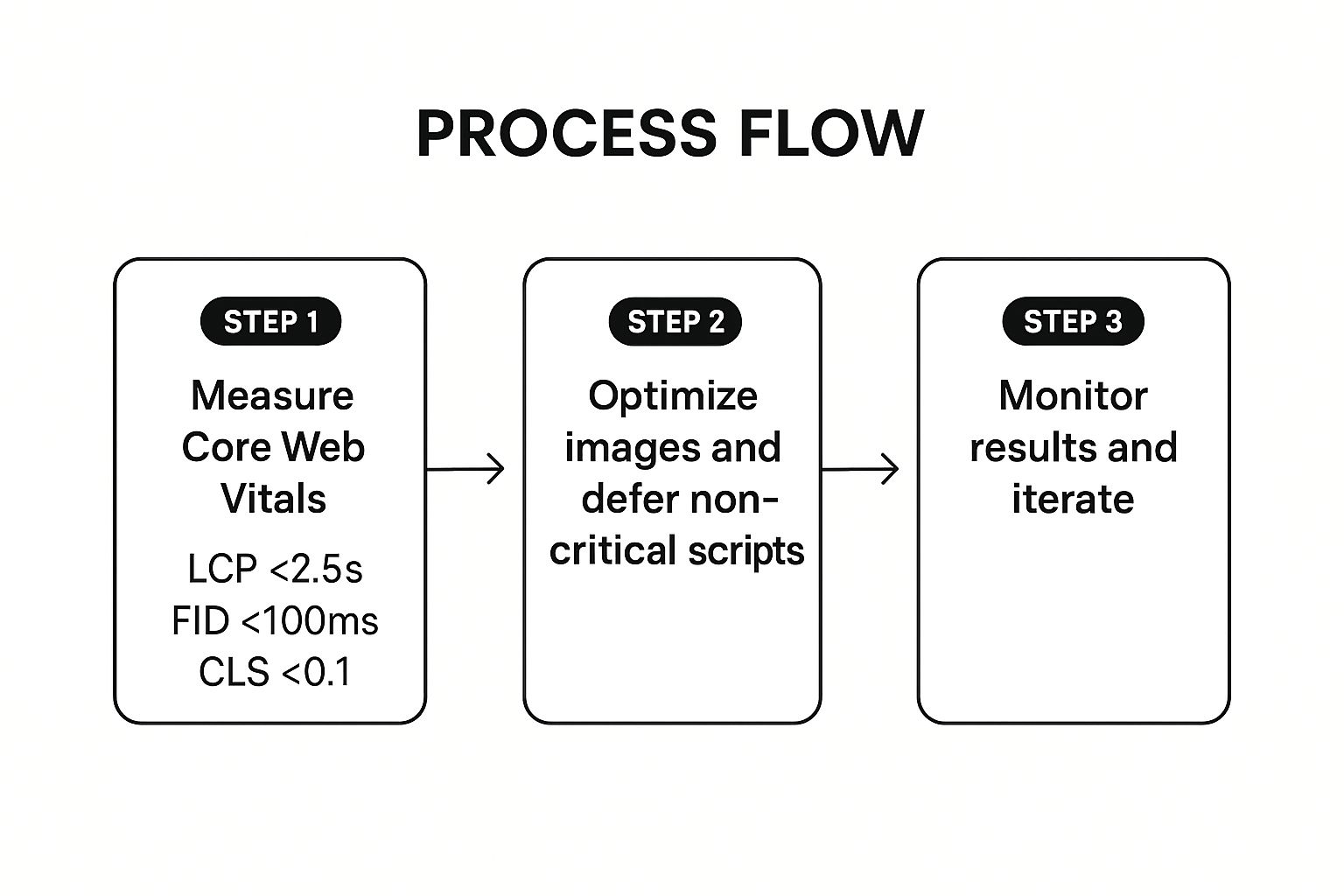
This workflow emphasizes that CWV optimization is not a one-time fix but a continuous cycle of improvement to ensure a consistently positive user experience.
Actionable Tips for Improvement
- Images: Convert images to next-gen formats like WebP and use responsive images with
srcsetattributes. - JavaScript: Minimize, compress, and defer non-critical JavaScript to improve interactivity and load times.
- Layout Stability: Specify size attributes for images, videos, and ad slots to prevent content from shifting as it loads.
- Resource Hints: Use
preloadandprefetchto help browsers load critical resources sooner. - Monitoring: Regularly check your Core Web Vitals report in Google Search Console to identify and address issues.
2. Mobile-First Indexing Compliance
A non-negotiable item on any modern technical seo checklist is ensuring compliance with mobile-first indexing.
This means Google predominantly uses the mobile version of your content for indexing and ranking.
Since Google’s transition is complete, if your mobile site is missing content or functionality present on your desktop version, that content simply won’t be considered for ranking.
This shift underscores the importance of a mobile-centric approach to web design and SEO. The mobile experience is no longer a secondary consideration; it is the primary foundation of your search presence.
- Primary Crawler: Googlebot now primarily crawls and indexes pages with the smartphone agent.
- Content Parity: The content, links, structured data, and metadata on your mobile site must match your desktop site.
- User Experience: The mobile version must be fully usable, with optimized navigation, clickable elements, and fast load times.
Failing to prioritize your mobile site is a direct signal to Google that your user experience is subpar, which can severely damage your search visibility and rankings.
Companies like the BBC and Amazon have thrived by ensuring their mobile versions offer a complete and seamless experience, proving the value of this approach.
How to Ensure Mobile-First Compliance
Achieving compliance involves a thorough audit of your mobile site to ensure it mirrors the desktop experience in every critical way.
This isn’t just about responsive design; it’s about complete content and functional parity.
The goal is to provide a single, consistent experience for both users and search engine crawlers, regardless of the device they use. This eliminates confusion and ensures all your valuable content is indexed correctly.
Actionable Tips for Improvement
- Content Parity: Ensure all important text, images (with alt text), and videos are present and optimized on the mobile version.
- Responsive Design: Use responsive web design to serve the same HTML code on all devices and use CSS media queries to alter the rendering.
- Mobile Usability: Regularly use Google’s Mobile-Friendly Test and the Mobile Usability report in Google Search Console to find and fix issues.
- Structured Data: Verify that the structured data is identical on both the mobile and desktop versions of your site. This is especially vital for local businesses, as you can see in our detailed guide on local SEO strategies.
- Internal Linking: Check that your mobile site’s internal linking structure is as robust as your desktop site’s to properly distribute page authority.
3. XML Sitemap Optimization
An XML sitemap is a critical roadmap you provide to search engines, guiding them to all the important pages on your website.
This file, often found at yourdomain.com/sitemap.xml, ensures that crawlers can discover, crawl, and index your content efficiently.
A well-maintained sitemap is a fundamental part of any technical seo checklist because it accelerates content discovery, especially for large sites or pages that are not well-linked internally.
It lists all your important URLs and can include valuable metadata like the last modification date, how frequently the page changes, and its priority relative to other pages on the site.

Optimizing your XML sitemap is not just about creating one; it’s about maintaining a clean, accurate, and useful file.
For example, large sites like Wikipedia split their sitemaps into multiple files organized by content type, while news publishers use specialized news sitemaps to get articles indexed in minutes.
E-commerce platforms like Shopify automatically generate and update sitemaps as products are added or removed, ensuring search engines always have the most current information.
How to Optimize Your XML Sitemap
Effective sitemap optimization involves a strategic approach to what you include and how you manage it.
The goal is to present search engines with a clear and concise map of only your most valuable, indexable content, avoiding any signals that might confuse crawlers or waste their resources.
This process is about quality over quantity. A bloated sitemap with non-canonical URLs, redirects, or error pages can dilute its effectiveness and send mixed signals to Google.
Actionable Tips for Improvement
- Include Only Canonical URLs: Your sitemap should only list the canonical versions of your pages that return a 200 OK status code.
- Keep it Clean and Current: Exclude no-index pages, redirected URLs, and any pages blocked by
robots.txt. Ensure the sitemap is updated automatically when new content is published or existing content is changed. - Manage Size Limits: Keep individual sitemaps under 50,000 URLs and 50MB. For larger websites, use a sitemap index file to manage multiple sitemaps.
- Submit to Search Engines: Submit your sitemap URL directly through Google Search Console and Bing Webmaster Tools to ensure they are aware of it.
- Review Regularly: Periodically check the “Sitemaps” report in Google Search Console to monitor for errors or issues with your submitted files.
4. HTTPS Implementation and SSL Certificate Management
A cornerstone of any modern technical seo checklist is securing your website with HTTPS.
This protocol encrypts data exchanged between a user’s browser and your server, protecting sensitive information.
Google officially confirmed HTTPS as a ranking signal, and modern browsers flag non-secure HTTP sites, making an SSL certificate essential for both SEO and building user trust.
Securing your site involves obtaining and installing an SSL/TLS certificate. The process creates a secure, encrypted connection, signified by the padlock icon in the browser’s address bar. This has three primary benefits:
- Encryption: Keeps user data like passwords and credit card numbers safe from eavesdroppers.
- Authentication: Verifies that users are communicating with the correct server, preventing man-in-the-middle attacks.
- Data Integrity: Ensures that data cannot be modified or corrupted during transfer.
Implementing HTTPS is a non-negotiable step for site security and credibility.
Companies like Mozilla have pushed for a secure-by-default web by enabling HTTPS-only modes in their browsers.
Meanwhile, services like Let’s Encrypt and Cloudflare have made free, auto-renewing SSL certificates widely accessible, removing barriers for businesses of all sizes.
How to Manage HTTPS Implementation
Properly migrating from HTTP to HTTPS requires more than just installing a certificate.
It involves a careful process of updating your site’s architecture to ensure a seamless and secure transition for both users and search engine crawlers.
A flawed migration can lead to broken links, mixed content warnings, and a loss of ranking momentum.
The process involves configuring server-side redirects, updating all internal resources to use the secure protocol, and implementing security headers to enforce the new standard.
This ensures that every visitor and bot is directed to the secure version of your site without encountering errors.
Actionable Tips for Improvement
- 301 Redirects: Implement server-side 301 redirects to permanently point all HTTP URLs to their HTTPS equivalents.
- Update Internal Links: Scour your site content, templates, and canonical tags to update all internal links and resource references to use the HTTPS protocol.
- Fix Mixed Content: Use browser developer tools or a site crawler to find and fix “mixed content” issues, where insecure (HTTP) resources are loaded on a secure (HTTPS) page.
- HSTS Headers: Implement the HTTP Strict Transport Security (HSTS) header to instruct browsers to only communicate with your server over HTTPS.
- Monitor Expiration: Set up alerts to monitor your SSL certificate’s expiration date to prevent your site from becoming inaccessible due to a lapse.
5. Page Speed and Performance Optimization
A fundamental component of any technical seo checklist is optimizing for page speed.
This metric measures how quickly the content on your page loads for a user and is a confirmed ranking factor for Google.
It’s not just about a single number; it’s a comprehensive evaluation of your server’s response time, resource optimization, code efficiency, and caching strategies that directly influence user experience and search visibility.

Slow-loading pages frustrate users and lead to higher bounce rates, signaling to search engines that your site provides a poor experience.
The impact of speed is well-documented. For instance, Pinterest reduced its page load times by 40% and saw a 15% increase in sign-ups, while Walmart found that every one-second improvement in load time increased conversions by 2%.
The BBC even discovered they lost an additional 10% of users for every extra second their site took to load, proving that every millisecond counts.
How to Optimize Page Speed
Improving your site’s performance requires a multifaceted approach.
The goal is to reduce the amount of data the browser needs to download and render, and to make that process as efficient as possible. This involves optimizing every element that contributes to the final page load.
A thorough audit using tools like Google PageSpeed Insights or GTmetrix is the first step.
These tools provide a detailed breakdown of performance bottlenecks and offer specific recommendations for improvement. Implementing these changes systematically can lead to significant gains in both speed and search rankings.
For those looking for expert guidance, exploring dedicated page speed optimization services can provide a structured path to faster load times.
Actionable Tips for Improvement
- Image Compression: Use modern image formats like WebP and AVIF. Compress all images to reduce file sizes without sacrificing quality.
- Enable Compression: Use server-side compression methods like GZIP or Brotli to reduce the size of your HTML, CSS, and JavaScript files.
- Minimize HTTP Requests: Combine CSS and JavaScript files to reduce the number of individual requests a browser has to make.
- Browser Caching: Leverage browser caching by setting appropriate
expiresheaders so repeat visitors can load the page much faster. - Lazy Loading: Implement lazy loading for images and videos below the fold, so they only load when a user scrolls to them.
- Use a CDN: A Content Delivery Network (CDN) distributes your site’s assets across multiple servers globally, reducing latency for users far from your origin server.
6. Crawlability and Robots.txt Configuration
A foundational element of any technical seo checklist is ensuring search engine crawlability.
Crawlability is a search engine’s ability to access and navigate your website’s content. A key tool for managing this is the robots.txt file, a simple text file that tells crawlers which pages or sections of your site they should not crawl.
Proper robots.txt configuration is crucial for efficient crawl budget management. It prevents search engines from wasting resources on low-value pages, such as:
- Admin login pages
- Internal search results
- User cart and checkout pages
- Duplicate content generated by URL parameters
By blocking these areas, you guide crawlers to focus on your most important, high-quality content, ensuring it gets discovered and indexed faster. For instance, large e-commerce sites like Amazon use robots.txt to prevent crawlers from accessing millions of user account pages and cart-related URLs, thereby directing crawl budget toward product and category pages.
This is how Robots.txt of Visibility Ventures look like –

How to Configure Robots.txt
Optimizing your robots.txt involves creating clear directives for search engine user-agents.
The process starts with identifying pages that offer no SEO value and explicitly disallowing crawlers from accessing them.
This is not about hiding pages from indexation (the noindex tag is for that), but about managing crawler traffic efficiently.
A well-structured robots.txt file is clean, simple, and includes a reference to your XML sitemap.
This provides a clear roadmap for crawlers, telling them what to avoid and where to find your most important content. Regular audits are essential to prevent accidentally blocking critical pages, especially after site updates or redesigns.
Actionable Tips for Improvement
- Audit Regularly: Periodically review your
robots.txtfile to ensure important pages aren’t accidentally blocked. - Test Your File: Use Google Search Console’s robots.txt Tester to verify your rules and check for errors before deploying.
- Include Sitemap Location: Always add a line specifying the location of your XML sitemap (e.g.,
Sitemap: https://www.yourdomain.com/sitemap.xml). - Use Specific Directives: While
User-agent: *applies to all bots, you can create specific rules for different crawlers (e.g.,User-agent: Googlebot) if needed. - Keep it Simple: Avoid complex rules. A clean, well-commented file is easier to manage and debug.
7. URL Structure and Canonicalization
A well-organized website is a cornerstone of any effective technical seo checklist, and this starts with a logical URL structure and proper canonicalization.
These two elements work together to help search engines understand your site’s hierarchy, prevent duplicate content issues, and provide a better experience for users.
A clean, descriptive URL gives both users and crawlers valuable context about the page’s content before they even visit it.
Canonicalization is the process of telling search engines which version of a URL you want to be considered the “master” copy.
This is crucial for managing duplicate content, which can occur for many reasons:
- Tracking Parameters: URLs with session IDs or UTM parameters (e.g.,
?source=newsletter). - Protocol Variations: HTTP vs. HTTPS and www vs. non-www versions of your site.
- Syndicated Content: Content that appears on multiple websites or different pages of your own site.
Failing to manage these issues can dilute your link equity and confuse search engines, leading to indexing problems and lower rankings. For example, e-commerce giant Shopify uses canonical tags expertly to manage product variant URLs, ensuring that the main product page receives all the SEO credit.
You can see for one of our blog we have set Canonical URL-

How to Optimize URL Structure and Canonicalization
Implementing a clean URL structure and a clear canonicalization strategy is a foundational SEO task.
The goal is to create a single, definitive URL for every piece of content and ensure all other versions point to it. This approach consolidates ranking signals and prevents self-competition in search results.
This process should be part of your initial website setup and revisited during any site migration or restructuring. For more in-depth strategies, you can learn more about URL structure best practices at visibilityventures.co.
Actionable Tips for Improvement
- URL Structure: Use hyphens (-) to separate words, keep URLs as short and descriptive as possible, and include your primary keyword where it feels natural.
- Self-Referencing Canonicals: Implement a self-referencing canonical tag on every indexable page to specify it as the preferred version.
- 301 Redirects: When changing a URL, use a permanent 301 redirect to pass link equity from the old URL to the new one.
- Parameter Handling: Use the URL Parameters tool in Google Search Console to tell Google how to handle URLs with specific parameters.
- Lowercase URLs: Stick to lowercase letters in your URLs to avoid potential duplicate content issues on case-sensitive servers.
You should also check the detailed article about Mastering Site Architecture for SEO, its significance and more.
8. Internal Linking Strategy and Architecture
A sophisticated technical seo checklist must include a robust internal linking strategy.
This involves strategically connecting pages within your website to distribute authority, guide users, and help search engines understand your site’s hierarchy.
A well-planned architecture isn’t just about adding links; it’s about creating a logical web that boosts the value of your most important pages.
Internal linking is crucial for several reasons:
- Spreads Link Equity: It passes authority (or “link juice”) from high-authority pages like your homepage to deeper, more specific pages.
- Improves Crawlability: It provides clear pathways for search engine bots, ensuring they can find and index all your important content.
- Establishes Topical Relevance: It groups related content, signaling to Google that you have deep expertise on a particular topic.
A strong internal linking structure is a powerful, yet often underutilized, SEO lever. For example, HubSpot popularized the “topic cluster” model, where a central “pillar” page links out to multiple related “cluster” content pieces, which in turn link back to the pillar. This creates a powerful, interconnected hub of content that solidifies topical authority.
How to Optimize Internal Linking
Developing an effective internal linking architecture requires a strategic approach rather than random link placement. The goal is to create a structure that is intuitive for both users and search engine crawlers, strengthening the semantic relationships between your pages.
This process involves identifying high-value pages, understanding content relationships, and consistently building contextual links. A deliberate strategy ensures that every new piece of content contributes to the overall strength of your site’s SEO foundation.
Actionable Tips for Improvement
- Create Topic Clusters: Build your content around central pillar pages and link to them from related blog posts or articles.
- Use Descriptive Anchor Text: Use keyword-rich, descriptive anchor text that tells users and search engines what the linked page is about. Avoid generic phrases like “click here.”
- Link to High-Value Pages: When publishing new content, make it a habit to link back to your most important service or product pages.
- Implement Breadcrumbs: Use breadcrumb navigation to help users understand their location on your site and to reinforce your site structure for search engines.
- Audit Regularly: Periodically check for broken internal links or opportunities to strengthen connections between pages. A strategic approach to link building is fundamental for success. Discover more about internal linking and authority building.
9. Structured Data and Schema Markup Implementation
A cornerstone of any comprehensive technical seo checklist is the effective use of structured data and schema markup.
Structured data is a standardized format for providing explicit information about a page’s content, helping search engines understand its meaning and context.
By using the vocabulary from Schema.org, you are essentially translating your content into a language that search engines can easily parse.
This process enables search engines to display your content in more engaging ways, known as rich results or rich snippets. Common examples include:
- Product Schema: Displays prices, availability, and review ratings directly in search results for e-commerce pages.
- Recipe Schema: Shows cooking times, calorie counts, and user ratings for recipe articles.
- Article Schema: Helps news content appear in the “Top stories” carousel with headlines and publisher information.
- FAQ Schema: Creates an interactive dropdown of questions and answers beneath a search result.
Implementing structured data is crucial because it directly enhances your search engine visibility. Rich snippets make your listings more attractive and informative, which can significantly improve click-through rates (CTR) and drive more qualified traffic. This gives you a competitive advantage in a crowded search engine results page (SERP).
How to Implement Structured Data
Implementing schema markup involves adding specific code to your HTML, which can be done manually or with the help of various plugins and tools.
The goal is to accurately describe the main content of your page in a machine-readable format.
Google’s preferred format is JSON-LD, as it can be inserted into the <head> or <body> of a page without disrupting the visible content.
The process is straightforward: identify the appropriate schema type for your content, generate the markup with the correct properties, and validate it before deployment.
For those new to the concept, leveraging tools and understanding the impact on your on-page SEO strategy is a great starting point.
Actionable Tips for Improvement
- Use JSON-LD: Stick with Google’s recommended format for easier implementation and maintenance.
- Validate Your Markup: Always use Google’s Rich Results Test to ensure your code is error-free and eligible for rich snippets before publishing.
- Be Specific: Choose the most specific schema type that applies to your content (e.g., use
Recipeschema instead of the more generalCreativeWork). - Reflect Visible Content: Ensure the information in your structured data matches the content visible to users on the page to avoid penalties.
- Monitor Performance: Regularly check the Rich Results reports in Google Search Console to track performance, impressions, and any errors.
10. 404 Error Management and Redirect Strategy
An essential part of any technical seo checklist is a robust strategy for handling 404 errors and implementing redirects.
This practice involves identifying and fixing broken links that lead to “not found” pages, which can damage user experience and dilute link equity.
Proper management ensures visitors and search engines are guided to relevant, live content instead of dead ends.
A 404 error occurs when a user tries to access a page that doesn’t exist. Left unmanaged, these errors frustrate users and signal to search engines that a site is poorly maintained. A strategic approach involves:
- Identifying 404s: Finding all internal and external links pointing to non-existent pages.
- Redirecting: Implementing permanent (301) redirects to send users and link equity from a broken URL to a relevant, live page.
- Custom 404 Pages: Creating helpful custom 404 pages that guide lost users back to valuable content.
Effectively managing 404s and redirects is critical for preserving SEO value.
It prevents the loss of link equity from backlinks pointing to old URLs and maintains a seamless user journey, reducing bounce rates.
For instance, GitHub’s custom 404 page retains users by offering search functionality and links to popular repositories, turning a negative experience into a helpful one.
Similarly, e-commerce sites often redirect discontinued product pages to a relevant category or a similar product to retain potential customers.
You can also refer Google Search Console report to identify 404 errors, as we have done for one of our other blog moneymattr.com –

How to Manage Errors and Redirects
Developing a systematic process for finding and fixing 404 errors is crucial for site health.
The goal is to minimize crawl errors reported by search engines and ensure users never hit a dead link.
A proactive approach involves regularly monitoring for broken links, assessing their cause, and implementing the correct fix, whether it’s a redirect or updating the source link.
This isn’t a one-time task but an ongoing maintenance process that supports your site’s overall SEO performance and user satisfaction.
Actionable Tips for Improvement
- Custom 404 Pages: Design a helpful custom 404 page that includes your site navigation, a search bar, and links to popular pages.
- Use 301 Redirects: Implement 301 (permanent) redirects for content that has permanently moved to a new URL to pass link equity.
- Monitor Search Console: Regularly check the “Pages” (Not found 404) report in Google Search Console to find broken URLs that Google has discovered.
- Avoid Redirect Chains: Keep redirect chains short. Chains longer than three hops can slow down crawling and dilute link equity.
- Update Internal Links: Whenever possible, update the source of a broken internal link directly instead of relying solely on a redirect.
Technical SEO Checklist Comparison Table
| SEO Technique | Implementation Complexity 🔄 | Resource Requirements ⚡ | Expected Outcomes 📊 | Ideal Use Cases 💡 | Key Advantages ⭐ |
|---|---|---|---|---|---|
| Core Web Vitals Optimization | Medium to High | Significant development & ongoing monitoring | Improved search rankings, UX, conversions | Sites prioritizing user experience and speed | Direct ranking impact, UX improvements |
| Mobile-First Indexing Compliance | Medium to High | Mobile optimization and possible redesign | Better mobile visibility and user experience | Websites targeting mobile users | Aligns with mobile trends, future-proofing |
| XML Sitemap Optimization | Low to Medium | Regular maintenance | Faster content discovery, better crawling | Large or frequently updated websites | Helps search engines find new content |
| HTTPS Implementation & SSL Management | Medium | Setup, renewal, and migration effort | Enhanced security, trust, slight speed boost | All websites needing secure data transmission | Ranking factor, user trust, modern feature support |
| Page Speed and Performance Optimization | Medium to High | Technical expertise & ongoing monitoring | Faster load times, better UX and rankings | Sites needing enhanced performance | Direct ranking factor, lower bounce rates |
| Crawlability and Robots.txt Configuration | Low to Medium | Technical knowledge for configuration | Controlled crawl budget, protected content | Sites controlling crawler access | Saves crawl budget, protects sensitive data |
| URL Structure and Canonicalization | Medium | Planning and implementation effort | Better indexing, reduced duplicate content | Sites with complex content and URL issues | Consolidates link equity, improves UX |
| Internal Linking Strategy and Architecture | Medium | Ongoing planning and maintenance | Improved authority flow and navigation | Content-rich sites wanting better hierarchy | Distributes link equity, enhances UX |
| Structured Data and Schema Markup Implementation | Medium | Technical implementation and updates | Enhanced SERP appearance, higher CTR | Sites needing rich snippets and voice search optimizations | Better content understanding, competitive edge |
| 404 Error Management and Redirect Strategy | Medium | Monitoring and redirect setup | Maintained UX and link equity | Sites undergoing changes or with broken links | Preserves rankings, reduces crawl errors |
Putting Your Technical SEO Plan into Action
You have now navigated through the essential pillars of a robust technical SEO strategy.
From optimizing Core Web Vitals to mastering redirect strategies, this comprehensive technical seo checklist provides the blueprint for building a website that search engines and users love.
Completing these checks is a monumental achievement, placing you miles ahead of competitors who neglect the foundational health of their digital presence. However, the journey doesn’t end here.
Technical SEO is not a static, one-time project; it is a dynamic and continuous process of refinement.
Think of your website as a high-performance engine. It requires regular maintenance, ongoing monitoring, and periodic tune-ups to operate at peak efficiency. Search engine algorithms are in a constant state of evolution, user expectations for speed and accessibility are always rising, and your own site will inevitably grow and change with new content, products, or features.
The true power of this checklist lies in its application as a cyclical framework. By regularly revisiting these ten core areas, you transform a reactive, problem-fixing approach into a proactive strategy for sustained growth and resilience.
Key Takeaways and Your Path Forward
Let’s distill the most critical insights from this guide and outline your actionable next steps. While every item on the list is important, a few overarching themes connect them all and should remain top-of-mind.
- User Experience as the North Star: Notice how many of these technical tasks, like improving Core Web Vitals, ensuring mobile-friendliness, and boosting page speed, directly impact the user’s experience. Google’s primary goal is to satisfy its users, so aligning your technical efforts with user-centric outcomes is the most future-proof strategy you can adopt.
- Crawlability is Non-Negotiable: If search engines cannot efficiently crawl, render, and understand your content, even the most brilliant on-page SEO will fail. Your
robots.txtfile, XML sitemap, and internal linking structure are the traffic signals and roadmaps for crawlers. Keep these pathways clear, logical, and optimized. - Clarity and Consistency Conquer Confusion: Ambiguity is the enemy of technical SEO. Canonical tags prevent duplicate content issues, a logical URL structure creates clarity, and proper redirect management ensures that link equity and users are sent to the correct destination. Every signal you send to search engines should be deliberate and unambiguous.
Turning the Checklist into an Action Plan
To move from knowledge to implementation, here is a structured approach:
- Establish a Baseline: Before making any changes, conduct a thorough audit. Use tools like Google Search Console, PageSpeed Insights, and a site crawler (e.g., Screaming Frog) to benchmark your current performance across all ten checklist areas.
- Prioritize by Impact: You don’t have to tackle everything at once. Prioritize tasks based on a simple matrix of impact versus effort. A critical crawlability error in your
robots.txtfile, for instance, should take precedence over minor schema adjustments. - Schedule Regular Audits: Commit to a recurring schedule for technical SEO reviews. A quarterly deep-dive and monthly health checks are a great starting point for most businesses. This ensures you catch new issues like broken links, redirect chains, or performance regressions before they cause significant damage.
Mastering the elements in this technical seo checklist is what separates market leaders from the rest of the pack. It’s the behind-the-scenes work that enables your content to shine, your products to be discovered, and your business to achieve its organic growth potential. By adopting a proactive and methodical approach, you are not just ticking boxes; you are building a resilient, high-performing digital asset that will serve as the foundation for long-term success.
Navigating the complexities of a complete technical audit and implementation can be demanding. If you’re ready to turn this checklist into measurable revenue growth without the steep learning curve, the team at Visibility Ventures is here to help. We specialize in comprehensive technical SEO strategies that build a powerful foundation for sustainable organic traffic.
Learn more about our technical SEO services at Visibility Ventures